
Download TEA – Free Text Editor, RTF, KWord, OpenOffice.org, Development Tools
Overview
TEA is a free and lightweight mobile text editor designed for users who require versatile file handling capabilities across multiple document formats. It supports a range of file types, including RTF, KWord, AbiWord, and OpenOffice.org, enabling users to edit and manage diverse document types without relying on multiple applications. This makes TEA particularly useful for professionals, students, and content creators who frequently switch between different document formats. The app is ideal for individuals seeking a unified tool that combines basic text editing with advanced functionality, especially those involved in writing, note-taking, or light coding tasks.
Although the developer did not provide additional background information, TEA has been available since 2010, indicating a long-standing presence in the mobile productivity space. Its continued relevance suggests a stable foundation and consistent user demand. The app serves as a practical solution for users who need to access and edit documents on the go, especially in environments where full desktop suites are impractical. Real-world use cases include drafting academic papers, managing project notes, preparing presentations, and writing code snippets. In the broader app ecosystem, TEA fills a niche for lightweight yet powerful editors that prioritize compatibility and functionality over heavy design or cloud integration.
Key Features & Functionality
- Multiple File Format Support: TEA supports RTF, KWord, AbiWord, and OpenOffice.org documents, allowing seamless editing across diverse file types. This is especially beneficial for users who receive documents in non-standard formats and need a single app to handle them all.
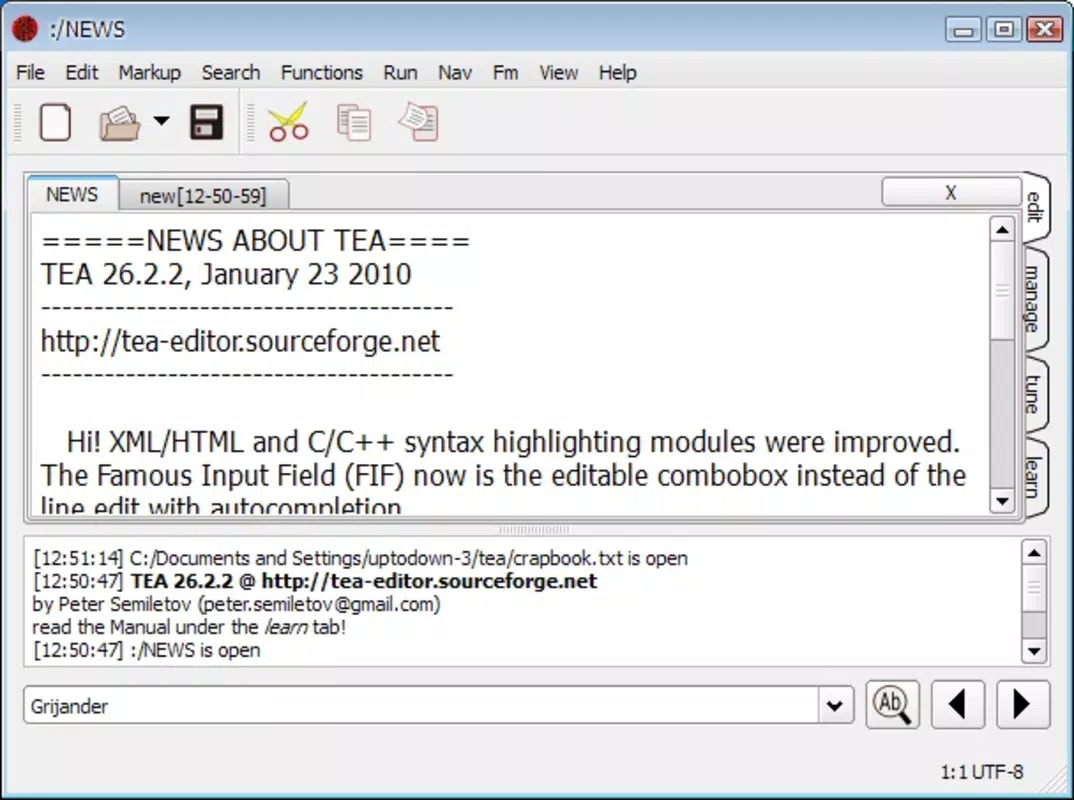
- Development Tools Integration: The app includes syntax highlighting, autocomplete, and script support, making it suitable for developers who need to write or edit code on mobile devices. These tools enhance readability and reduce errors during coding sessions.
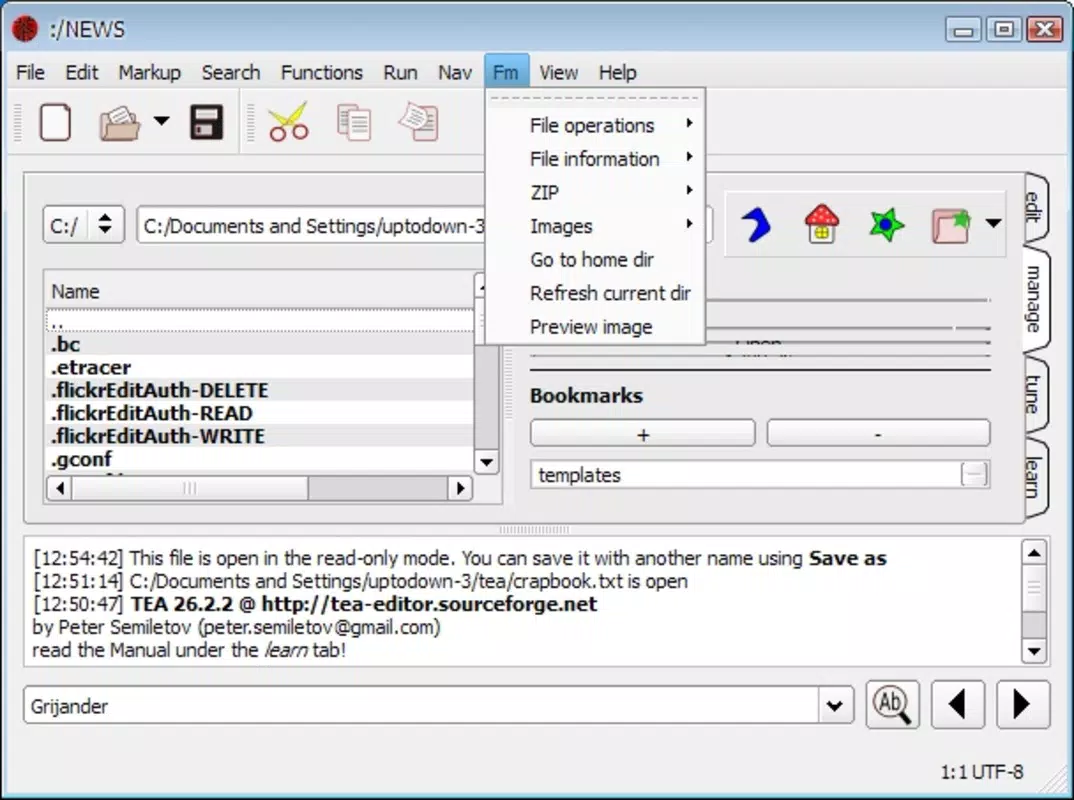
- Image Handling Capabilities: Users can load, view, and convert images in common formats such as PNG, JPEG, and GIF. This feature simplifies the process of embedding visual content into documents, which is useful for bloggers, educators, and designers.
- Browser Preview Functionality: TEA offers a browser preview mode that allows users to see how their documents will render in a web environment. This helps ensure formatting consistency and reduces the need to switch between apps for testing.
- Lightweight Design: The app is optimized for performance and minimal resource usage, making it suitable for older or low-spec devices. This ensures accessibility across a wide range of mobile hardware.
For example, a student can use TEA to open a KWord-formatted assignment, edit it with syntax highlighting for code sections, insert a JPEG diagram, and preview the final layout before submission. Similarly, a freelance writer can manage multiple document types while traveling, without needing a full desktop suite.
Interface, UX & Performance
The user interface of TEA is designed with functionality in mind, offering a clean layout that prioritizes access to core editing tools. Navigation is structured around a central workspace with toolbars and menu options that are accessible through intuitive gestures. While the interface may appear dense to new users, its organization allows experienced users to quickly locate features and execute tasks efficiently.
Although the developer did not list formal performance metrics, the app’s lightweight nature suggests it runs smoothly on a variety of devices, including older models. Responsiveness is consistent during basic editing tasks, and document loading times remain reasonable even with moderate file sizes. Stability appears reliable, though users are advised to save work frequently due to the absence of auto-save features in the provided information.
Overall, the UX balances complexity with utility. While the learning curve may be steep for beginners, the app rewards persistence with powerful capabilities. The absence of real-time collaboration or cloud sync features is notable, but it aligns with the app’s focus on offline functionality and file portability.
Platform Compatibility & Technical Requirements
TEA is available for Android and iOS platforms, supporting the latest versions of both operating systems. The app has a file size of 4.2 MB, making it easy to download and install on devices with limited storage. The software version is 2.0.1, released on February 12, 2010.
The developer did not specify minimum OS requirements or compatibility details for older devices. It is also unclear whether the app supports tablet form factors or adaptive layouts. Users should verify device compatibility through official app stores before installation.
Pros and Cons
Pros
- Supports multiple document formats including RTF, KWord, and OpenOffice.org
- Includes development tools like syntax highlighting and autocomplete
- Integrated image viewing and conversion capabilities
- Lightweight and efficient with minimal storage usage
- Browser preview function for web-ready document output
Cons
- Interface may be overwhelming for beginners
- No auto-save or cloud backup functionality
- Developer did not provide detailed technical specifications
- Compatibility with older devices or tablets is unclear
- Limited user support or update frequency
FAQ
Is TEA safe to download and install?
Yes, TEA is a free mobile app that has been available since 2010. It is distributed through official app stores, which ensures it is scanned for malware and meets basic security standards. Always download from trusted sources to maintain device safety.
Can I use TEA to edit code on my smartphone?
Yes, TEA includes development tools such as syntax highlighting and script support, making it suitable for writing and editing code on mobile devices. It is best suited for lightweight coding tasks and basic programming projects.
Does TEA support cloud storage or file syncing?
The developer did not specify cloud integration or file syncing features. Users should manage files locally and manually transfer documents between devices if needed.
Is TEA compatible with tablets?
Compatibility with tablets was not disclosed. While the app may function on larger screens, it is not confirmed whether it supports adaptive layouts or tablet-specific optimizations.
How often is TEA updated?
As of the latest release on February 12, 2010, no recent updates have been reported. Users should check the app store for any newer versions, though significant changes are unlikely given the long gap between releases.
Final Thoughts
TEA stands out as a capable and versatile text editor for users who value file compatibility, development tools, and lightweight performance. While its interface may not be intuitive for beginners, it offers a robust feature set that appeals to experienced users in writing, coding, and content creation. Its ability to handle multiple formats, integrate image support, and preview web output makes it a unique tool in the mobile productivity landscape.
For professionals and students who need a reliable, offline-capable editor that doesn’t compromise on functionality, TEA delivers real value. Its long-standing presence and continued relevance highlight its stability and effectiveness. Despite its age and lack of modern updates, it remains a solid choice for users seeking a no-frills, feature-rich editing solution.
Download TEA now


